
Home decor isn’t just about furniture, color palettes, and lighting anymore. In 2026, the way your home works — how your devices connect, where your screens sit, and how invisible your tech feels — is just as much a part of the aesthetic as your throw pillows.
The best-designed homes today don’t hide technology; they integrate it so smoothly you barely notice it’s there. Here’s how to upgrade your smart home setup without turning your living room into a tangle of cables and blinking lights.
1. Choose Your Smart TV Placement Like a Designer
A Smart TV is often the biggest visual element in a living room, so where and how you mount it matters as much as the model you buy. A few decor-friendly principles:
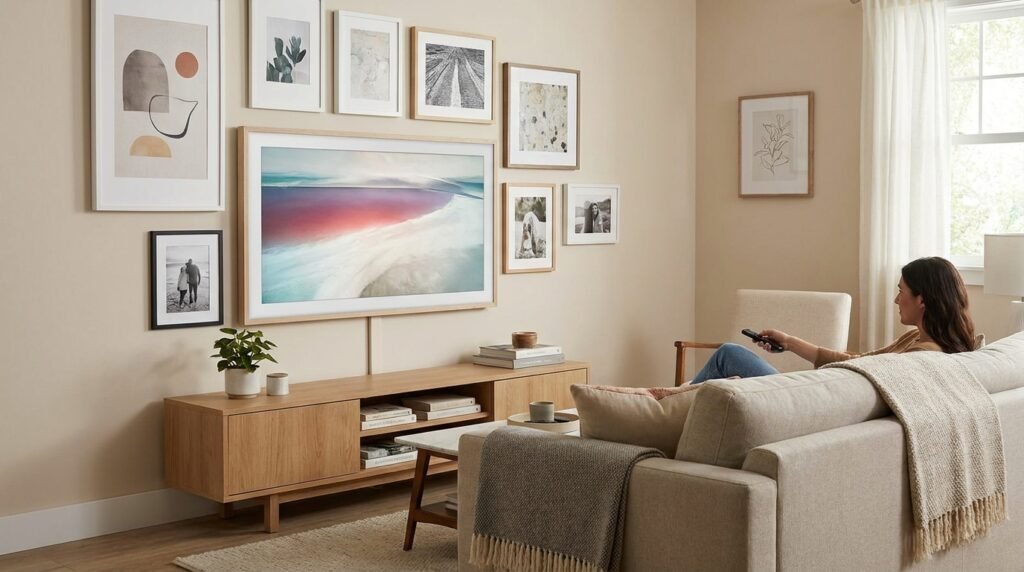
- Match the frame to your wall color or use a frame-style TV to blend it into a gallery wall.
- Mount at eye level when seated, not above a fireplace, which forces an awkward neck angle.
- Hide cables with in-wall channels or a cord cover that matches your wall paint.
If you’re setting up a new Smart TV — especially a Samsung model, which dominates a lot of living rooms right now — getting the initial configuration right (display calibration, app setup, network connection) makes a real difference in daily use. Guides like the ones on Tech On Dicas walk through Samsung Smart TV setup step by step, which is worth bookmarking before you mount anything.
2. Rethink Your Wi-Fi Setup Before You Add More Devices
Every new smart light, speaker, or plug you add to a home puts more load on your Wi-Fi network. Nothing breaks the “effortless smart home” feeling faster than a laggy connection or a router sitting out in the open on a bookshelf.
Decor-conscious Wi-Fi tips:
- Use a mesh system to avoid needing one bulky router in a visible spot.
- Tuck routers inside a decorative box or cabinet with ventilation slits.
- Position access points centrally, not just wherever the outlet happens to be.
If your internet has been acting up since you added more smart devices, it’s usually a configuration issue rather than a hardware one — small adjustments to channel settings or router placement often fix it. It’s a topic worth reading up on if you’re not familiar with basic network troubleshooting.
3. Let Your Phone Be the Remote for Everything
One of the quieter shifts in modern home design is fewer remotes and panels cluttering coffee tables. Most Smart TVs, speakers, and lighting systems can now be controlled entirely from a phone app, which keeps surfaces cleaner and more intentional.
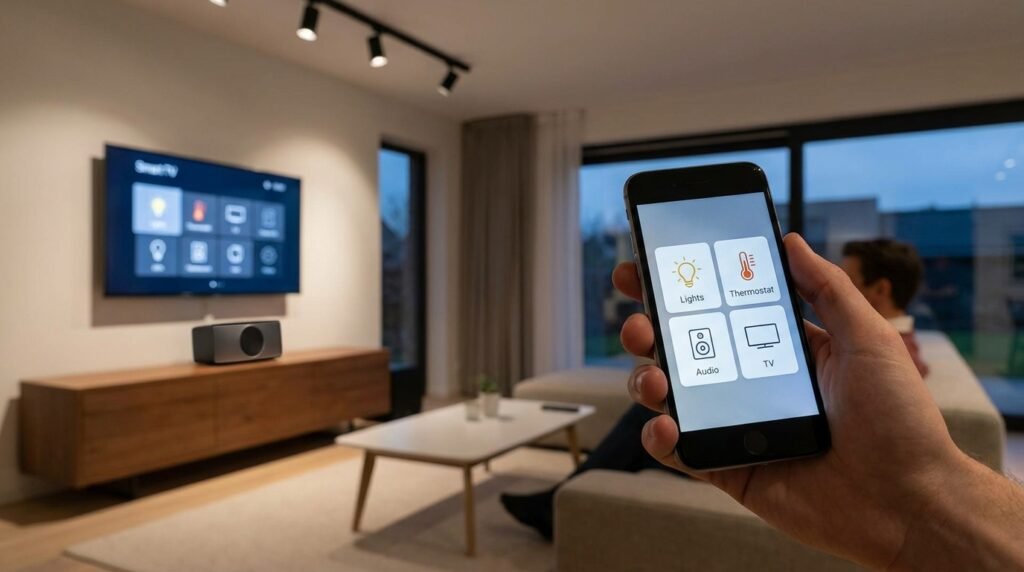
This works best when your phone itself is set up well — decent battery life, working Wi-Fi settings, and apps that aren’t fighting for background resources. It’s a small thing, but a phone that lags when you’re trying to dim the lights for a dinner party undoes a lot of the ambiance you just created.
4. Smart Lighting: The Easiest Decor Upgrade With the Biggest Payoff
If you upgrade only one thing, make it lighting. Smart bulbs let you:
- Shift color temperature from warm (evenings, cozy) to cool (mornings, focus)
- Sync lighting scenes to match your decor mood — soft amber for a reading nook, crisp white for a home office corner
- Automate on/off schedules so lamps don’t look like an afterthought
Pair this with dimmable smart plugs for lamps you already own, and you get the flexibility of a smart system without replacing every fixture in the house.
5. Keep a “Tech Corner” Instead of Scattering Gadgets
Designers increasingly recommend a single, contained spot for charging stations, routers, and smart hubs — a drawer, a cabinet, or a styled tray — rather than letting cables and devices spread across counters. It keeps the rest of your decor visually calm while still giving your tech a dedicated home.
Final Thought
Smart home tech and good decor aren’t in competition — the best-looking homes today treat both as part of the same design decision. Start with your Smart TV setup and Wi-Fi foundation, since those two affect daily comfort the most, then layer in lighting and smaller automations over time.
If you want a deeper walkthrough on getting your devices configured correctly — Smart TVs, Wi-Fi networks, or troubleshooting common phone issues — Tech On Dicas has straightforward guides that pair well with any home tech upgrade you’re planning.